


 Українська
 Deutsch
 Español
 Français
 Português
 Polski
 Italiano
 Türkçe
 Nederlands
 Bahasa Melayu
 Bahasa Indonesia
 Ελληνικά
 Lietuvių
 Magyar
 Čeština
 Kiswahili
 Filipino
 Svenska
 Tiếng Việt
 Язык
Язык
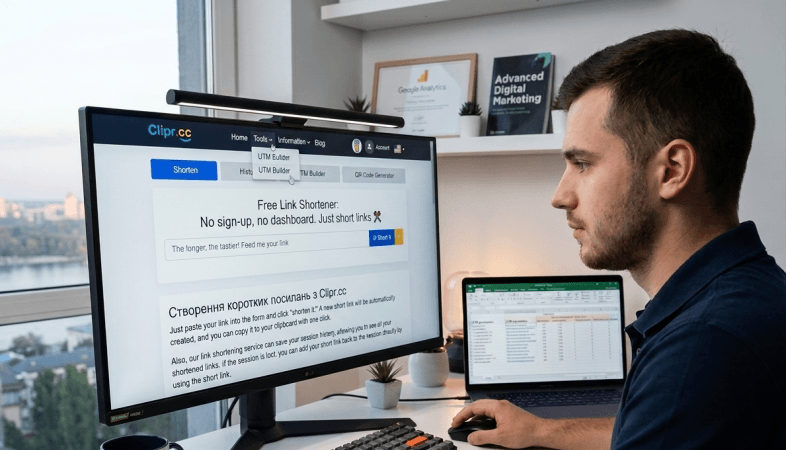
How to Build UTM + Short Links in 5 Minutes
You launched ads in email, Instagram, and SMS — but analytics shows one «unknown» stream? The cause is often simple: the link wasn't built with a system.
Working setup: UTM tags (so GA4 sees the channel) + short link (so the URL is easy to publish). The user clicks clipr.cc/summer-ig, analytics gets the full tagged URL.
Below — parameters, naming rules, a step-by-step Clipr.cc walkthrough, and a pre-launch checklist.
Before / after example:
BEFORE: shop.example.com/sale?utm_source=instagram&utm_medium=social&utm_campaign=summer_2026
AFTER:  clipr.cc/s26-ig  →  same redirect with UTMs
UTM Parameters: What to Fill In
UTMs are tags at the end of a URL. GA4 reads them automatically — no coding required.
| Parameter | What it means | Example | Required? |
|---|---|---|---|
utm_source |
Source | instagram, newsletter, google | Yes |
utm_medium |
Channel type | social, email, cpc, sms | Recommended |
utm_campaign |
Campaign name | summer_sale_2026 | Recommended |
utm_content |
Creative / CTA variant | story_1, hero_btn | Optional |
utm_term |
Keyword (PPC) | brand_name | Optional |
Minimum to start: source + medium + campaign. The rest — when you test creatives or run PPC.
Did you know?
On Clipr.cc you can easily build UTM tags for your project — paste a URL, fill in the fields, copy the ready link.
Source, Medium, Campaign, and optionally Term, Content, Id, and Source Platform for GA4. If the address already has GET parameters — the builder won't break it; it appends UTMs with &.
And yes — we've got it 😎
Try UTM BuilderWhy UTMs Alone Aren't Enough
UTMs on a long URL are technically fine, but awkward: clipped on social, broken across lines in email, too long for SMS. A short link hides parameters «under the hood» — your audience sees a clean address, analytics gets the full redirect.
Naming Rules + Ready-Made Channel Table
The main mistake — one source spelled three ways: insta, instagram, IG = three rows in the report instead of one.
- Latin, lowercase, underscores:
spring_sale_2026 - One channel = one short link = its own
utm_source - No spaces, no Cyrillic, no «one URL for everything»
| Channel | Short link | utm_source | utm_medium | utm_campaign |
|---|---|---|---|---|
clipr.cc/s26-mail |
newsletter | summer_sale_2026 | ||
clipr.cc/s26-ig |
social | summer_sale_2026 | ||
| Facebook Ads | clipr.cc/s26-fb |
paid-social | summer_sale_2026 | |
| SMS | clipr.cc/s26-sms |
sms | sms | summer_sale_2026 |
| Telegram | clipr.cc/s26-tg |
telegram | social | summer_sale_2026 |
Slug (s26-mail) — for your team. UTM — for GA4. Log both in a spreadsheet (Sheets, Notion) before launch.
Step by Step: UTM + Short Link on Clipr.cc
Generate UTMs
Open the UTM Builder on Clipr.cc. Paste your page URL (landing, product, signup). Fill in three fields:
utm_source— platform: instagram, newsletter, googleutm_medium— format: social, email, cpc, smsutm_campaign— promo name:summer_sale_2026
Dropdown hints are built in — no need to invent values from scratch. Click «Generate UTM».
Shorten the link
Copy the generated URL → Clipr.cc homepage → paste into the shorten field. Set a readable alias: clipr.cc/summer-ig.
Repeat for each channel
Email, Instagram, SMS — separate UTM and separate short link. One campaign (utm_campaign) shared across all.
Test click
Open the link in a private/incognito window. Check the address bar after redirect — UTMs should be there. Then GA4 → Traffic acquisition.
?, the builder appends UTMs with & automatically.
Where to Check Results
| Question | Where to look |
|---|---|
| How many clicks on the link? | Short link stats on Clipr.cc |
| Where did site sessions come from? | GA4 → Reports → Acquisition → Traffic acquisition |
| Which channel drove conversions? | GA4 → same report + Session campaign |
| Which creative performed better? | GA4 → Session manual ad content (utm_content) |
Clicks (Clipr) and sessions (GA4) may differ — that's normal. The first is a quick pulse, the second is business outcome.
utm_content=story_1 and utm_content=story_2. GA4 will show the winner without a separate A/B tool.
5 Mistakes That Break Your Analytics
- One link for every channel — you can't compare email and Instagram. One link per channel.
-
Different source spellings —
fbandfacebook= two sources. Lock down a dictionary. - UTMs on internal site links — distorts sessions. UTMs for external traffic only.
- Launching without a test click — a UTM typo = running blind.
-
No link spreadsheet — a month later nobody remembers what
clipr.cc/x7k2pwas for.
Pre-Launch Checklist
Frequently Asked Questions
Mini Case: Webinar Across 3 Channels
An online course platform runs a free webinar. One campaign webinar_march_2026, three links:
clipr.cc/wb-mail— newsletter / emailclipr.cc/wb-ig— instagram / socialclipr.cc/wb-tg— telegram / social
After a week Clipr showed more clicks from Telegram. GA4 clarified: email drove fewer clicks but higher signup conversion. Without separate links, the team might have wrongly cut email budget. That's why one link per channel — not just for pretty URLs.
Conclusion
UTM + short link — one habit: build tags → shorten → one channel = one link → test click → launch.
Start with one campaign and five channels from the table above. A week later GA4 will show what's actually working — no guesswork.
Try it now
UTM Builder + link shortening — free on Clipr.cc, no account required.